步骤条 | step
表现形式
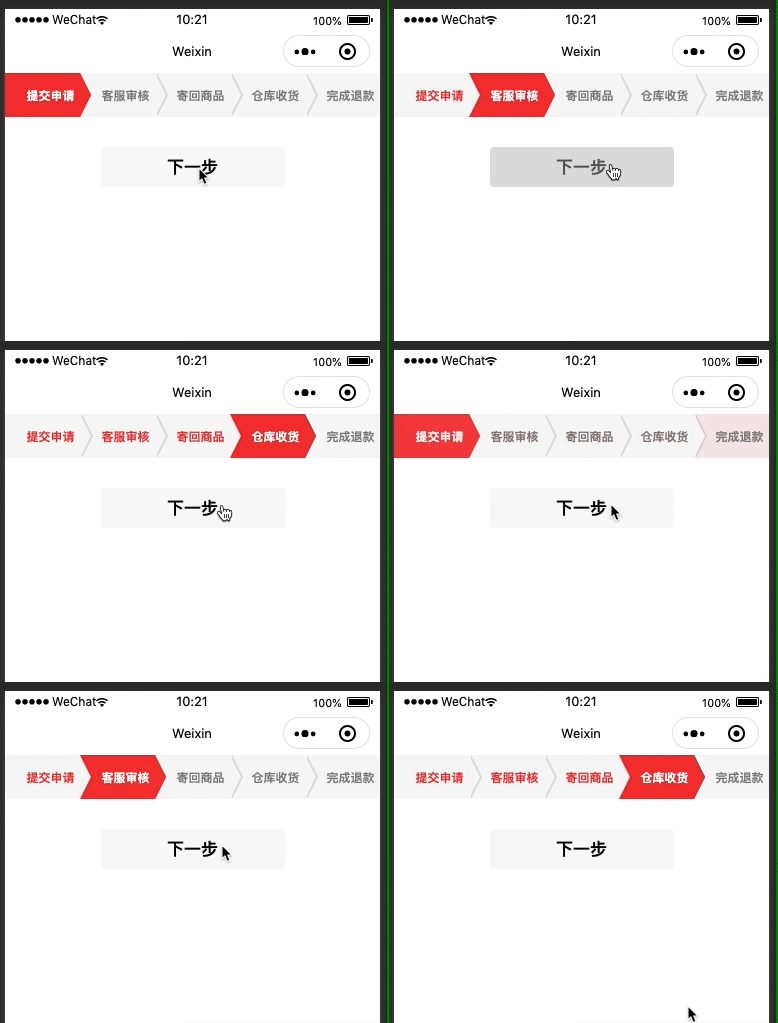
代码示例
data: {
  stepList: [
    {
      id: 1,
      value: '提交申请'
    },
    {
      id: 2,
      value: '客服审核'
    },
    {
      id: 3,
      value: '寄回商品'
    },
    {
      id: 4,
      value: '仓库收货'
    },
    {
      id: 5,
      value: '完成退款'
    }
  ],
  currentStep: 0
},

toNextStep () {
  let { currentStep, stepList } = this.data
  if(currentStep === stepList.length - 1) {
    currentStep = 0
  } else {
    currentStep++
  }
  this.setData({
    currentStep
  })
}
<step currentStep='{{currentStep}}' stepList="{{stepList}}" />

<button bindtap="toNextStep" style="margin-top: 60rpx">下一步</button>
引入
下载代码
可以通过以下两种方式获取代码:
- 点击上方示例代码,在开发者工具组查看代码,直接复制
components/step到你的项目中 - 点此下载
组件传参
| 参数 | 说明 | 数据类型 | 默认值 |
|---|---|---|---|
| stepList | 需要展示的步骤数组 | Array | [] |
| currentStep | 当前步骤 | Number | 0 |